Device details
Device details
Properties for a paired device can be accessed
- By selecting the device on the layout or from the Project Explorer pane (both in Pro for Windows or iOS), or
- By finding the device in the nearby device list and tapping the device details row (Pro for iOS only).
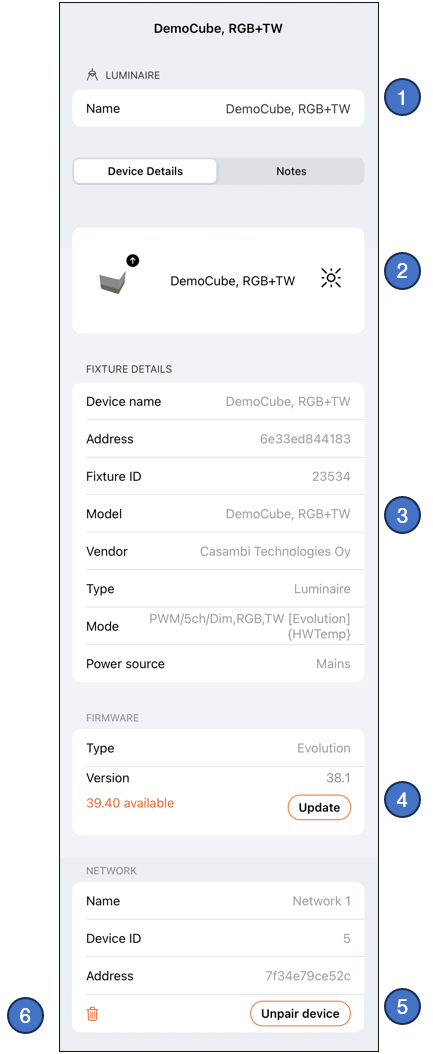
Device details on iOS:
-
Name of the device.
-
Identify button to make a luminaire device blink. Visible only for luminaires.
-
Fixture details from its fixture profile in Casambi database.
-
If there is a new firmware version available, it can be updated by tapping the Update button (Pro for iOS only).
-
Device can be unpaired with the Unpair Device button in the Network section (Pro for iOS only)
-
Remove device button.
This feature should be used with caution and only if there is a situation where a device must be removed from the project but unpairing cannot be done (for example when the device is broken and does not respond).If a device is removed without unpairing, the network still thinks it is present in the network.
See next chapters for more information.