Unpairing a device from a network
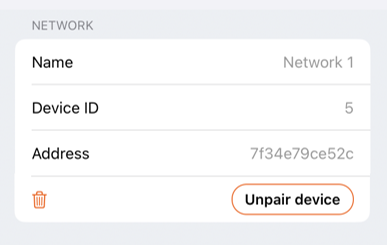
When there is a need to remove a device from a network, it is done by unpairing it. In Casambi Pro for iOS, this is done by accessing device’s details and then pressing the Unpair device button in the Network section of the device details pane.
The Unpair device button is available only if
- The user has radio connection to the network where the device is and
- The user has rights to unpair the device.
- When a switch or a sensor is unpaired, the application asks if you want to replace it with a placeholder. The placeholder will preserve the programming for the controller.
Notes about unpairing
- Devices cannot be unpaired from networks with Casambi Pro for Windows, as it does not use Bluetooth connections.
- Unpairing can be done with the standard Casambi App, but this should be done with extreme caution. If a device is unpaired from a network created with Casambi Pro, the Casambi Pro project will not know about it. Thus, the Casambi Pro applications will still show the device as part of the project and as part of the network.