Creating a space template
Any space can be saved as a space template (even an empty space). When a template is created, the original space is converted to an instance of the new template. Space templates can be created only with Casambi Pro for Windows.
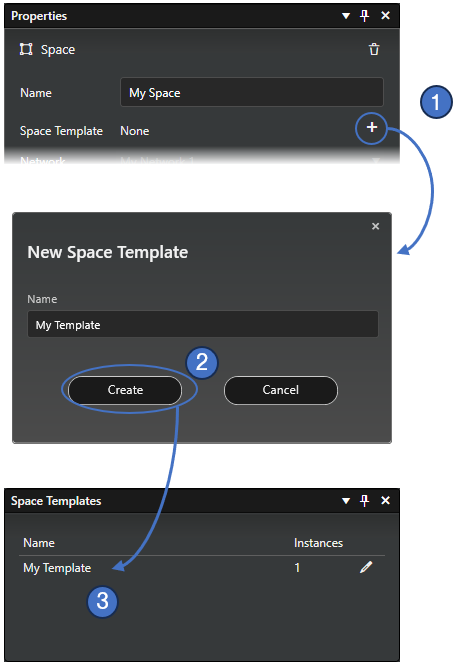
- Select a space (usually it has groups, controllers and scenes with configuration).
Save the space as a new template by clicking the plus (+) button in the space property pane.
- Enter a name for the template in the New Space Template dialog and click Create.
- The new space template is created, and it appears in the Space templates pane, and it can be used when creating new spaces.