Projects
Overview to Casambi Pro projects
In Casambi Pro, the lighting system configurations are designed and maintained inside a project.
A project contains:
- General project information
- Layouts
- Spaces, which contain
- Luminaire groups,
- Controllers and schedules
- Scenes
- Networks which can have Casambi Cloud Gateways
Elements and their hierarchical relations in Casambi Pro:
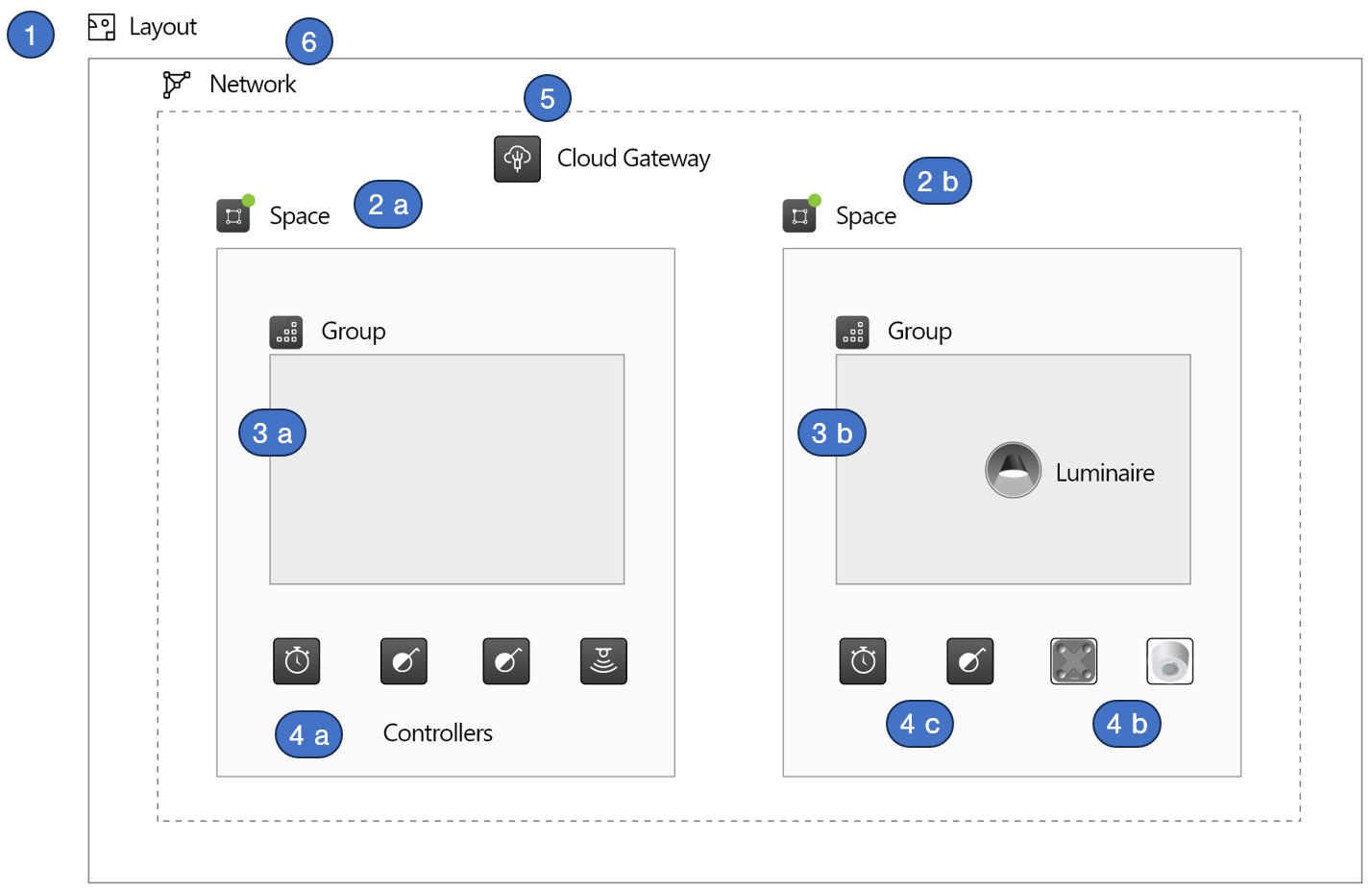
- Layout
- Space
- Space 1 is attached to a network but it has only virtual elements in it (one group, three controllers).
- Space 2 is attached to the same network but it has one real luminaire and two controllers paired to it.
- Luminaire groups inside spaces.
- A virtual group which does not yet have any luminaires paired to it.
- A group where one real luminaire has been paired.
- Controllers
- Virtual controllers (schedule, switch, sensor) which can be configured in advance.
- Controller after it has been paired.
- A controller that is still unpaired (virtual)
- Casambi Cloud Gateway
- There can be one gateway in a network. Cloud gateways can be placed anywhere in project’s layouts, they do not need to reside inside spaces.
- Network
- A project can have one or many networks.
- Virtual networks must be created in Casambi Pro for Windows before real devices can be paired.
- When the first real device is paired, the virtual network changes to real Casambi Pro network.
- A network is not restricted to items in a certain layout. Spaces in different layouts can belong to any network.
noteNetworks are not drawn in the layout views, but spaces belonging to a network are highlighted with green colour when a network is selected from the Networks list.