Deleting a luminaire group
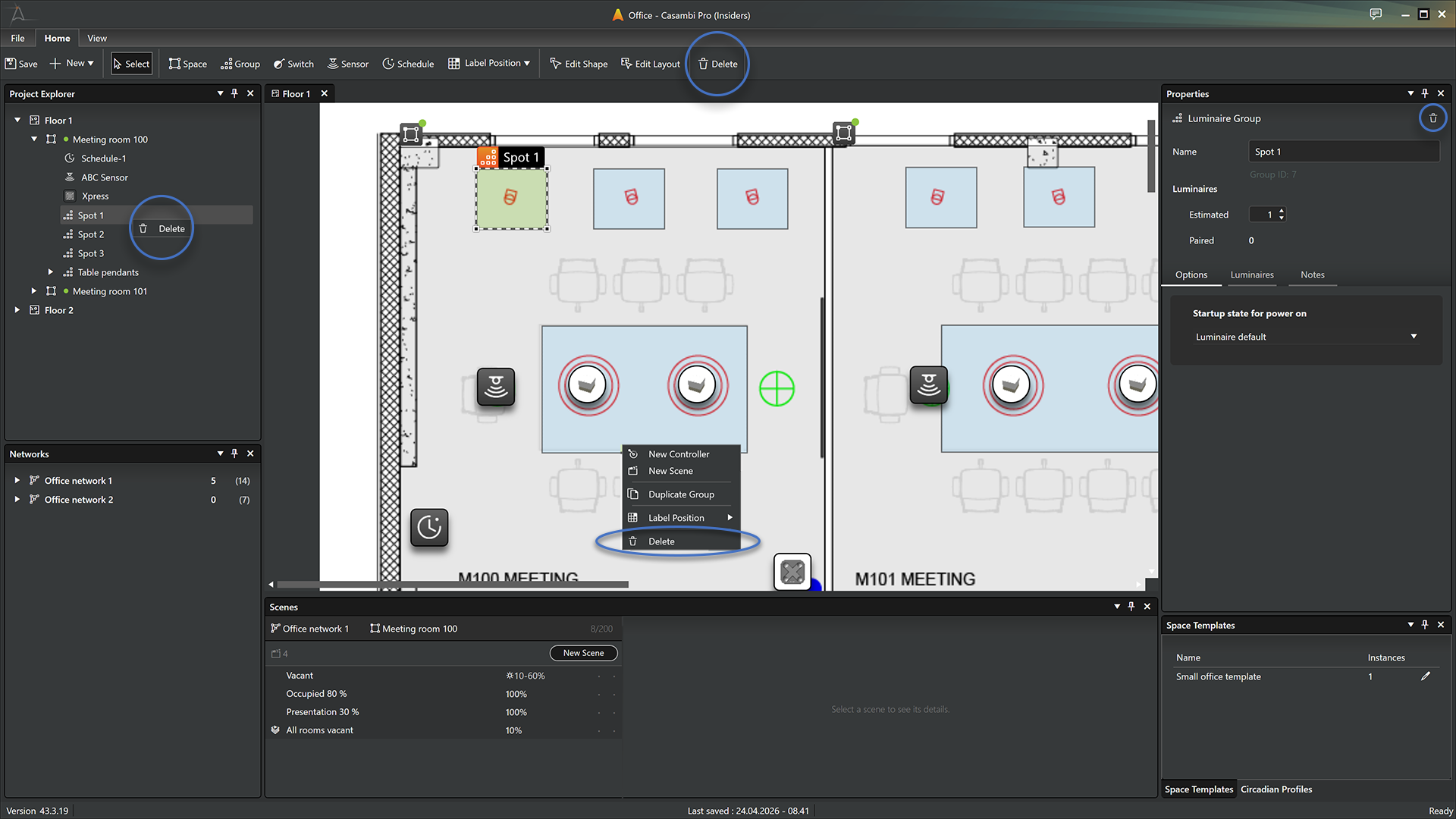
In Casambi Pro for Windows, you can delete a luminaire group using any of the following methods:
- Project Explorer: Right-click the group name in the Project Explorer list and select Delete from the context menu.
- Layout Context Menu: Right-click the group directly on the layout and select Delete.
- Home Ribbon: Select a group on the layout and click the Delete button in the Home ribbon.
- Properties Pane: With a space selected, click the Delete (trash can) icon within the Properties pane.
- Keyboard Shortcut: Select a group and press the Delete key on your keyboard.
Important Notes on Deletion
- Luminaire groups can only be deleted using Casambi Pro for Windows.
- A group cannot be deleted if it contains any paired physical devices.
- If a group contains devices or configurations, a confirmation dialog will appear to prevent accidental removal.
- Permanent Action: Deleting a group cannot be undone.