Spaces
Overview to spaces
In Casambi Pro, a space serves as a room-like container for luminaire groups, switches, sensors, and schedules. You can freely create spaces on a layout to define specific rooms or zones. To begin commissioning, each space must first be joined to a network; this step is required before you can pair controllers to the space or luminaires into groups within that space.
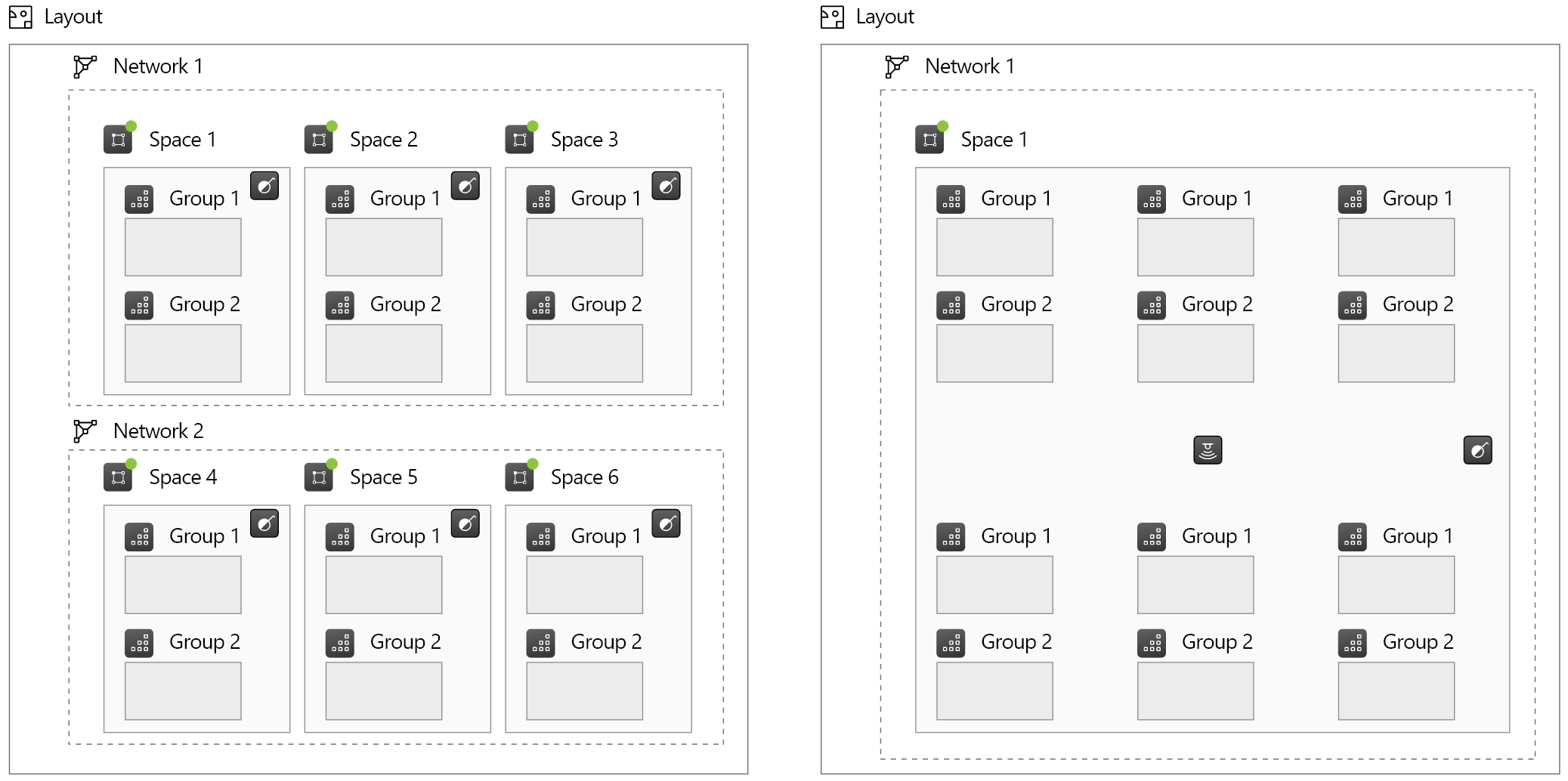
When designing your installation, consider how the lighting will be controlled and organized. The optimal structure depends on the project's requirements:
- Room-based structure: Ideal for projects with many distinct, enclosed areas.
- Open-area structure: Best for large, fluid spaces where one or two expansive zones are more efficient.
The examples below illustrate how the same physical area can be organized using different spatial strategies.
Space principles
- Layout Constraint: A space must reside on a single layout; it cannot span across multiple layouts.
- Visual Overlap: Spaces are permitted to overlap visually on the layout.
- No Nesting: Spaces cannot be nested. A space cannot contain other spaces within it.
- Controller Localization: Controllers (switches, sensors, and schedules) must reside within a space.
- Exclusivity: Controllers and luminaire groups can only belong to one space at a time.
- Network Requirement: A space must be joined to a network before physical devices can be paired to it.
- Network Unity: A space and all its contents must belong to a single network.
- Deletion Restriction: If a space contains any paired physical devices, it cannot be deleted until those devices are unpaired.
- Templates: A space, including its contents and configurations, can be saved as a Space Template. These templates allow for the efficient reuse of space structures throughout a project. For more information, see the Space Templates page.
Notes about spaces
- Creating, editing and removing spaces can be done only in Casambi Pro for Windows.
- Spaces cannot extend from one layout to another.
- Individual spaces cannot be moved or copied between layouts. However, similar spaces can be created in different layouts by using space templates.
- When a space is selected, it is highlighted on the layout with green colour.
- When a network is selected, all spaces belonging to it are highlighted in green.
- In Casambi Pro for iOS, it is possible to edit
- Space name
- Network where the space is attached to (if the space does not contain any real devices)
- Notes