Spaces
Overview to spaces
In Casambi Pro, a space is a room-like container for luminaire groups, switches, sensors and schedules. Spaces can be freely created on top of the layout, marking the different rooms or areas within it. Each space must be joined into a network before a controller can be paired to it or luminaires into luminaire groups within the space.
When designing the installation, it is recommended to consider the preferred way the lighting installation will be controlled, and the best way to organize the spaces in this particular case. Depending on the situation, there may be many separate room spaces where a room based space structure would be best. On the other hand, in large open areas, just one or few large spaces would be the best solution. The example below illustrates how same area could be organized in different ways.
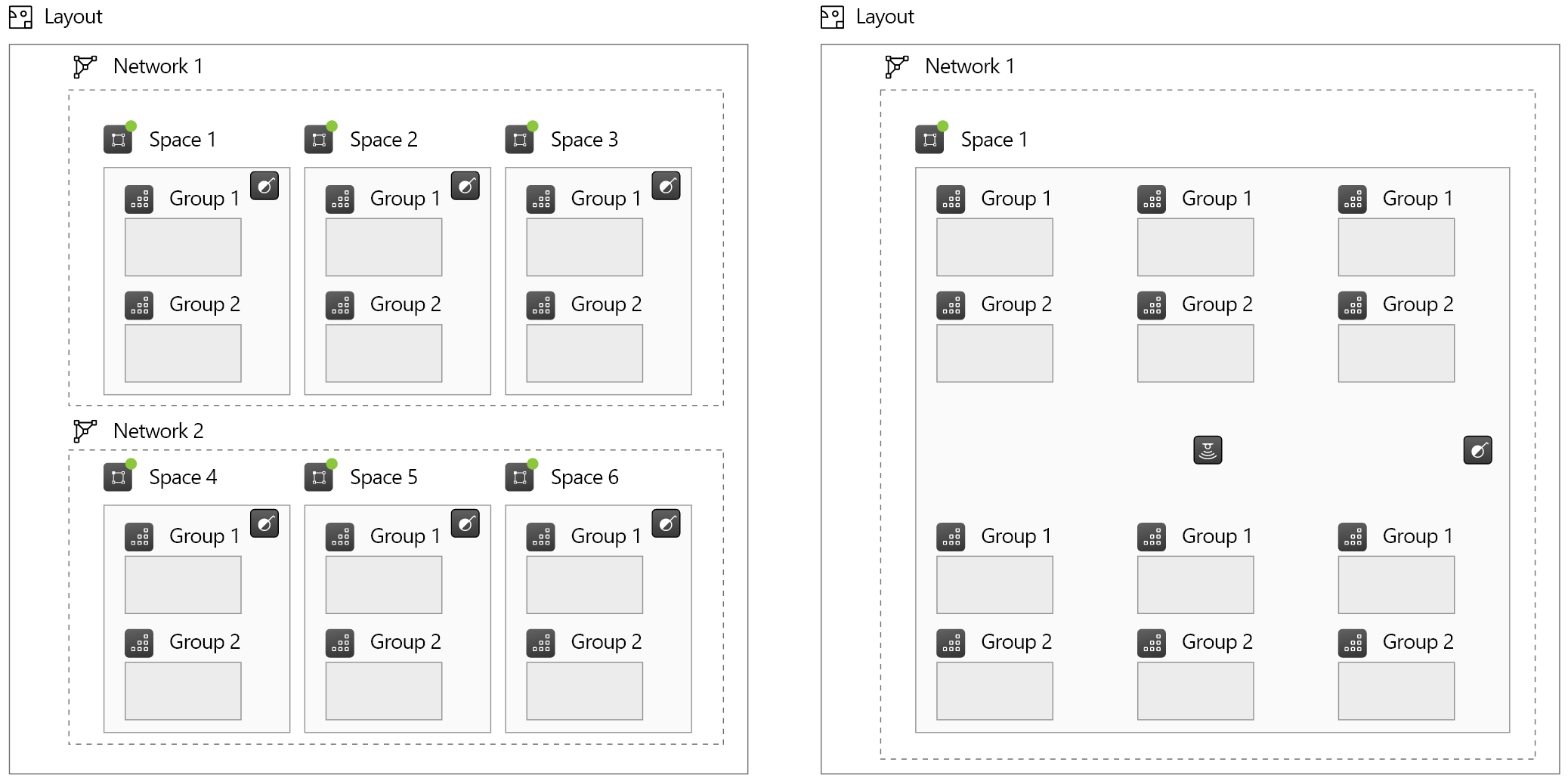
Space principles:
- Space resides always on one layout, it cannot extend from layout to another.
- Spaces can overlap visually.
- Spaces cannot be nested = A space cannot contain other spaces in it.
- Controllers (switches, sensors and schedules) only reside inside a space.
- Controllers and luminaire groups can only be part of one space at a time.
- Controllers cannot trigger events outside of its own space.
- A space must be joined to a network before real devices can be paired into it.
- A space and all its contents belong always to one network.
- If a space contains any real paired devices, it cannot be deleted.
- A space, together with its contents and configurations, can be saved as a Space Template in Casambi Pro for Windows. Space templates enable easy reuse of similar space structures all over the project. See details in the Space Templates page in this user guide.
Notes about spaces
Notes about Spaces
- Space shapes can visually overlap.
- Spaces cannot be hierarchically nested = A space cannot contain other spaces in it.
- Spaces cannot extend from one layout to another.
- Individual spaces cannot be moved or copied between layouts. However, similar spaces can be created in different layouts by using space templates.
- When a space is selected, it is highlighted with green colour.
- When a network is selected, all spaces belonging to it are highlighted in green.
- Creating, editing and removing spaces can be done only in Casambi Pro for Windows.
- In Casambi Pro for iOS, it is possible to edit
- Space name
- Network where the space is attached to (if the space does not contain any real devices)
- Notes
- Values in scenes in the space.