Switches
Switch properties
Windows
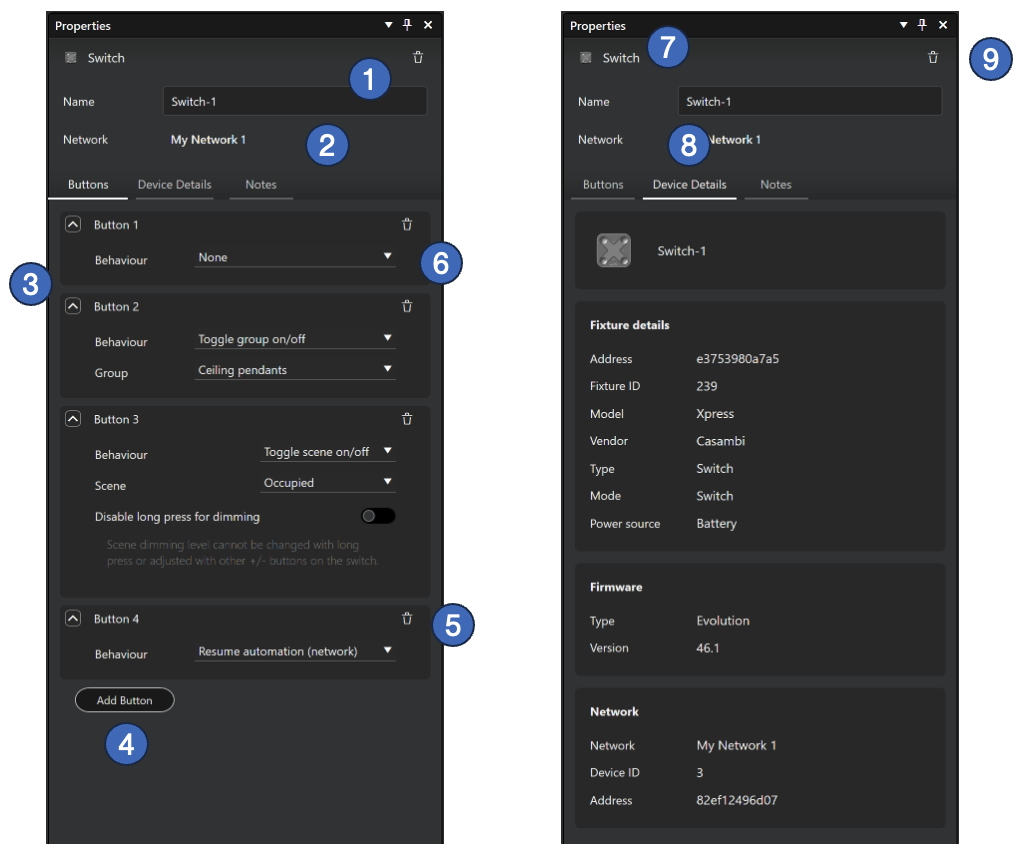
- Name of the switch (mandatory)
- Network where the switch belongs to. A switch belongs always to the same network than its parent space.
- List of switch buttons. A switch can have 1 to 8 buttons.
- A new button can be added with the “Add button” button.
- A button can be deleted by clicking the trash can icon in the button row. A switch must always have at least one button.
- Each button is programmed by selecting a behaviour for it.
- After a real switch is paired (replacing a virtual switch), real device’s picture is displayed instead of the standard switch icon.
- After pairing, the Device Details tab shows details of the real switch device.
- The switch can be deleted by clicking the Delete button (trash can icon) at the top right corner of the property pane.
note
A real paired switch must always be unpaired first before it can be deleted from a project. Otherwise, the network still thinks that the controller is part of the network.
iPad and iPhone
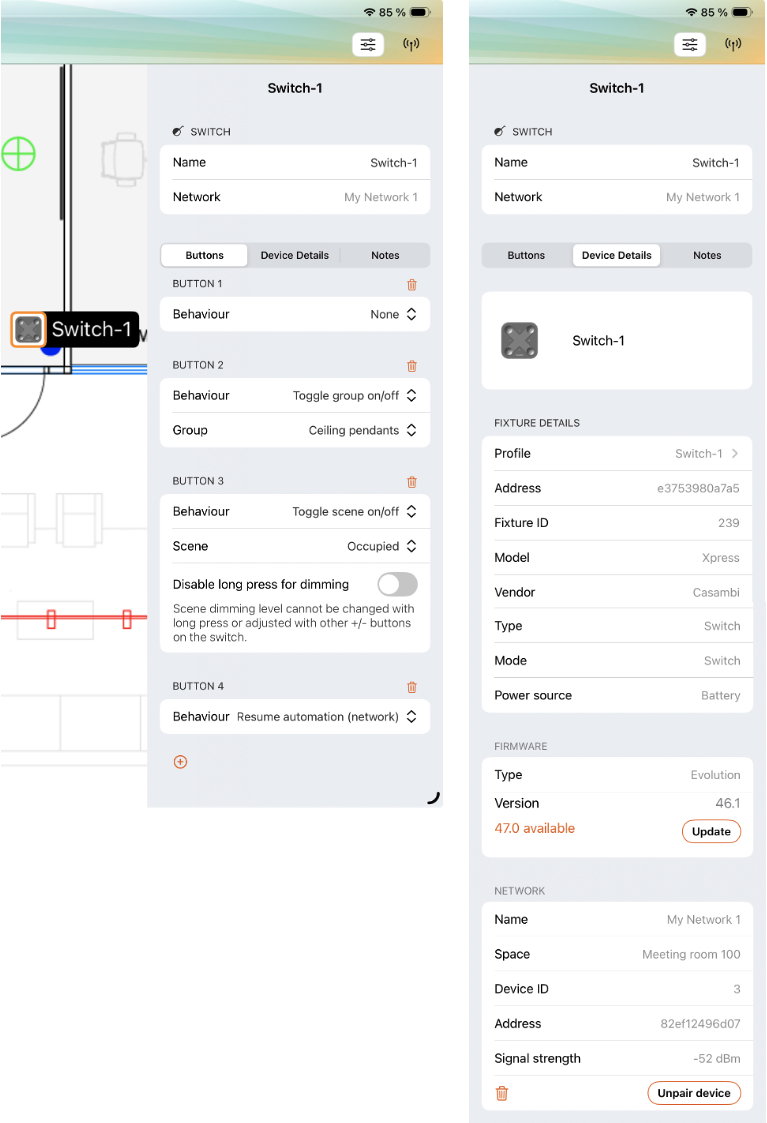
On iOS devices, switch properties include some additional information compared to what is seen in Windows:
- Firmware can be updated if there is a newer version available
- Device can be unpaired from the network
Switch button behaviours
Each switch button is configured by selecting one of the behaviour options. Available behaviours with their additional options are:
- None
- When a button is clicked, nothing happens
- Toggle group on/off
- One group in the same space is toggled on/off.
- The “Group” selection list in switch properties lists all groups in current space.
- Toggle scene on/off
- One scene in the same space is toggled on/off.
- The “Scene” selection list in switch properties lists all scenes in current space.
- Long press dimming can be disabled with the “Disable long press for dimming” selection. If this option is activated, scene’s dimming level cannot be changed with long press of the button or with other +/- buttons in the switch. For example, dimming with the extra buttons in a Casambi Xpress switch would be disabled.
- Toggle network on/off
- The entire network is toggled on/off.
- Resume automation in group
- When button is clicked, the manual control is removed from the selected group.
- When this option is selected, a group selection is added to the button properties.
- Resume automation in network
- When clicked, the manual control layer is removed from the current control hierarchy.